Jaminkyung UX Revamp
A page-by-page audit of K-beauty brand Jaminkyung’s online store, from login to reviews, with as-is → to-be proposals built around usability and information hierarchy.
Impact
- Delivered some thirty improvements across eight areas, login, my page, main, search, cart, product, reviews and shared rules, each as an as-is → to-be comparison.
- Paired every proposal with the live screen and a reference (Manyo, Olive Young, Huxley, Glossier, Merit) so the client could judge and act without a second meeting.
- Went beyond one-off fixes with shared rules, a three-step colour scale, hover, gift badges and corner radius, that set a baseline for later work.
Role
UX Consultant · Product Designer
Client
Jaminkyung (K-beauty brand store)
Timeline
2026
Format
Consulting proposal by eekky labs
Contribution
Consulting delivered under the eekky labs name. Beyond the full-site audit and the proposals, I designed the to-be screens themselves and the proposal document.
- Heuristic audit of every store page and problem framing
- Per-page as-is → to-be proposals with chosen references
- UI design of the to-be screens for login, my page, main, search, cart, product and reviews
- Shared rules for colour, hover and badges
- Proposal structure and design
01
Overview
A store whose best products were the hardest to see
Jaminkyung is a K-beauty brand known for hand cream and skincare. Its store had every feature, but icons covered the products, reviews came before the product itself, and hover and background colour changed from page to page, so the brand’s clean impression blurred on screen.
This was not a redesign from scratch but a page-by-page diagnosis showing what to change and how, with each item laid out as-is beside to-be so the client could sequence the work within their own development capacity.
02
Approach
Walked the pages in purchase order, from login to reviews, logging problems and picking fixes against comparable beauty-commerce references. The proposals fall under four principles.
- 01
Product first. Icons, background colour and reviews never cover the product.
- 02
Finish on one screen. Buy buttons, categories and coupons stay within reach without scrolling.
- 03
Same things look the same. One rule each for hover, gift badges, section titles and corner radius.
- 04
Empty states lead somewhere. Empty cart, login and search keep the shopper moving.
03
Login
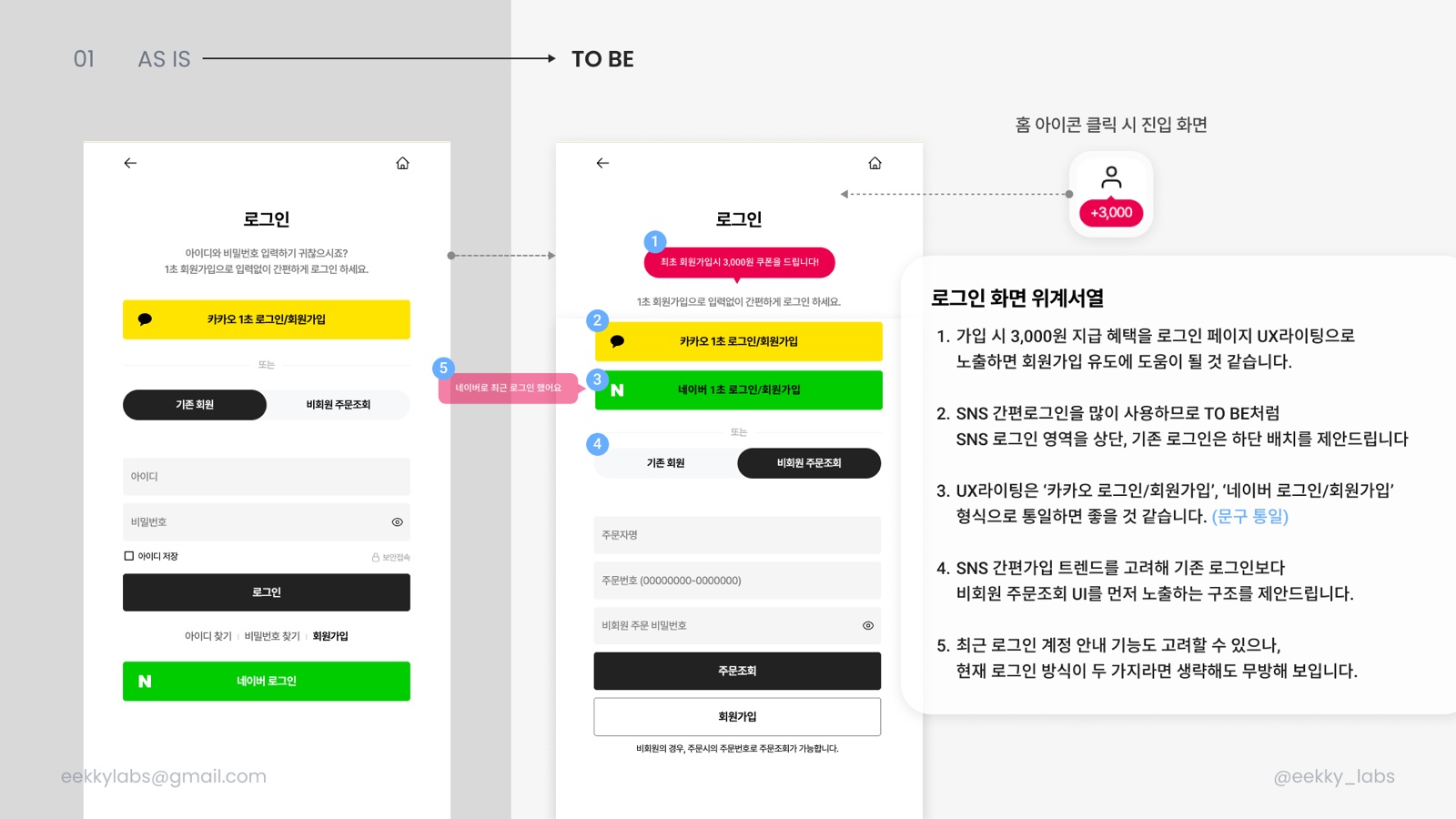
Re-ordered the screen around the social sign-in most of this audience actually uses.
- 01Surface the ₩3,000 sign-up coupon in the login copy itself to nudge registration.
- 02Kakao and Naver one-tap sign-in move to the top; the ID/password form moves down.
- 03Unify button copy as “Kakao sign in / sign up” and “Naver sign in / sign up”.
- 04Since social sign-up dominates, show guest order lookup before the classic login.
04
My Page · Coupons
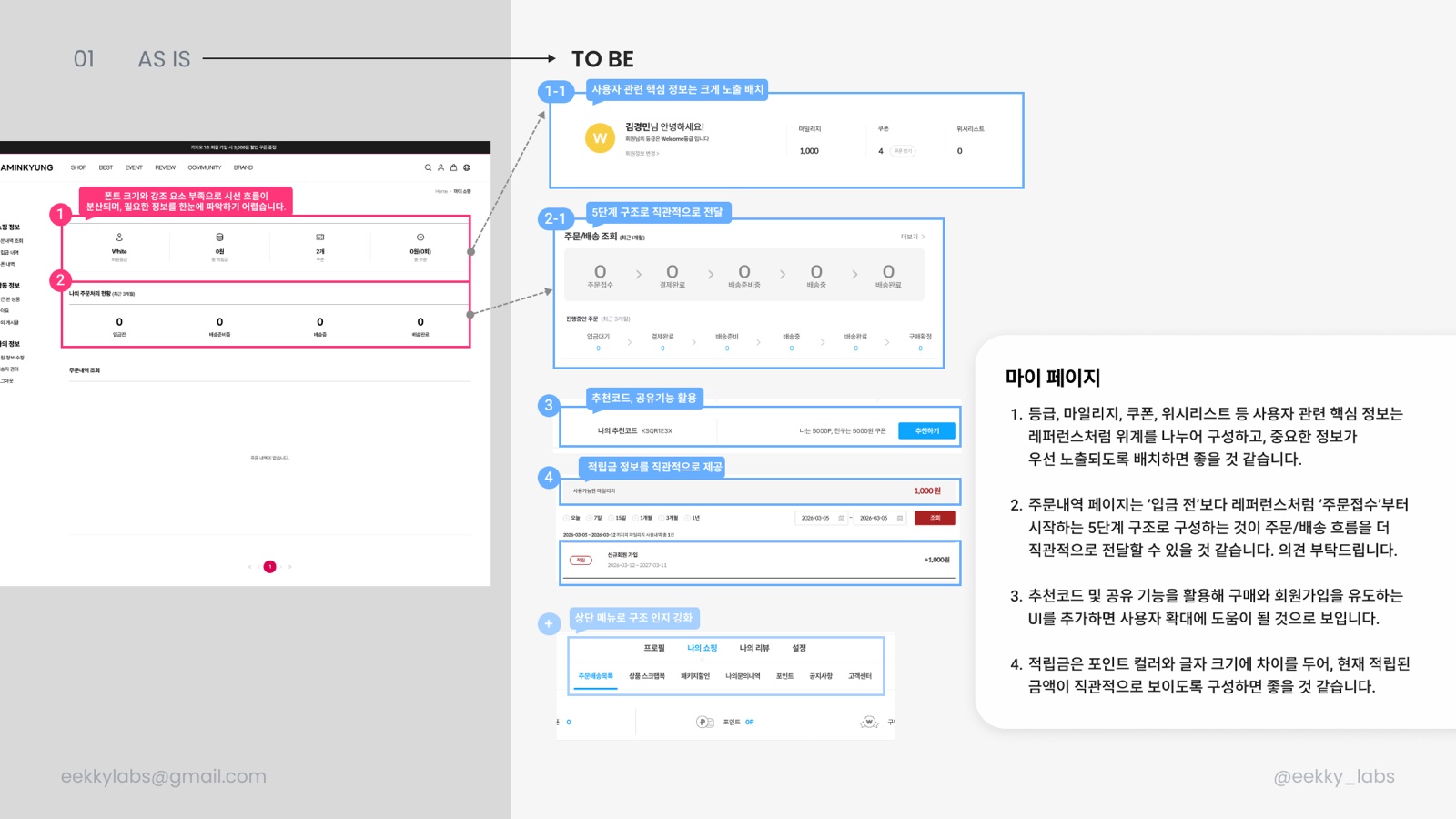
Rebuilt the hierarchy of a page where flat type and weak emphasis hid the information people came for.
- 01Group tier, mileage, coupons and wishlist in a prominent top block so the essentials read first.
- 02Show order status as five steps starting at “order received” rather than “awaiting payment”.
- 03Add a referral code and share action to drive purchases and sign-ups.
- 04Give the points balance an accent colour and larger type so the amount is instantly legible.
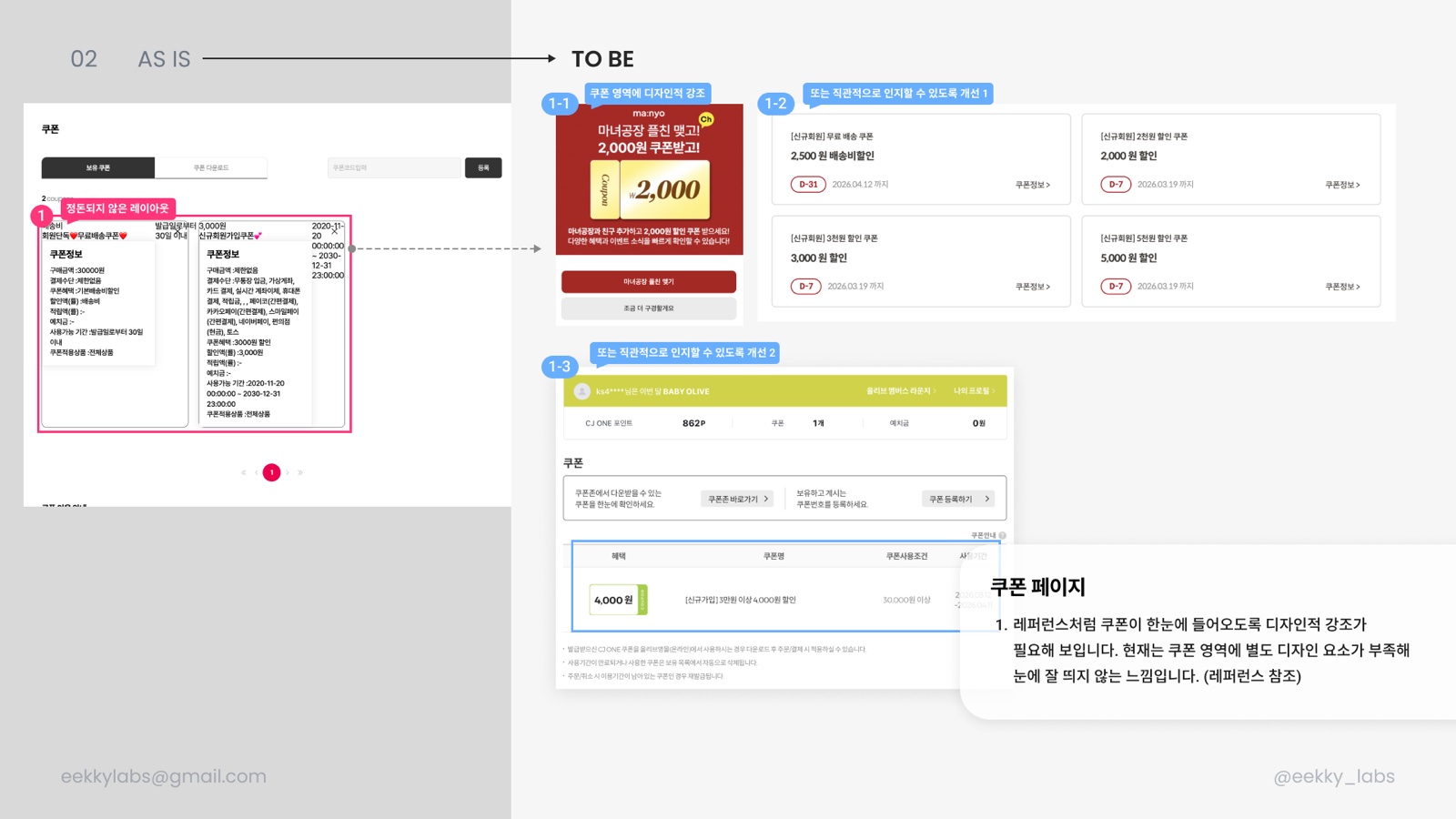
- 05Replace the overlapping coupon text with one card per coupon: benefit, condition, expiry.
05
Main
Fixed a nav with no current-state, categories hidden behind hover, icons covering products, and a drifting grid.
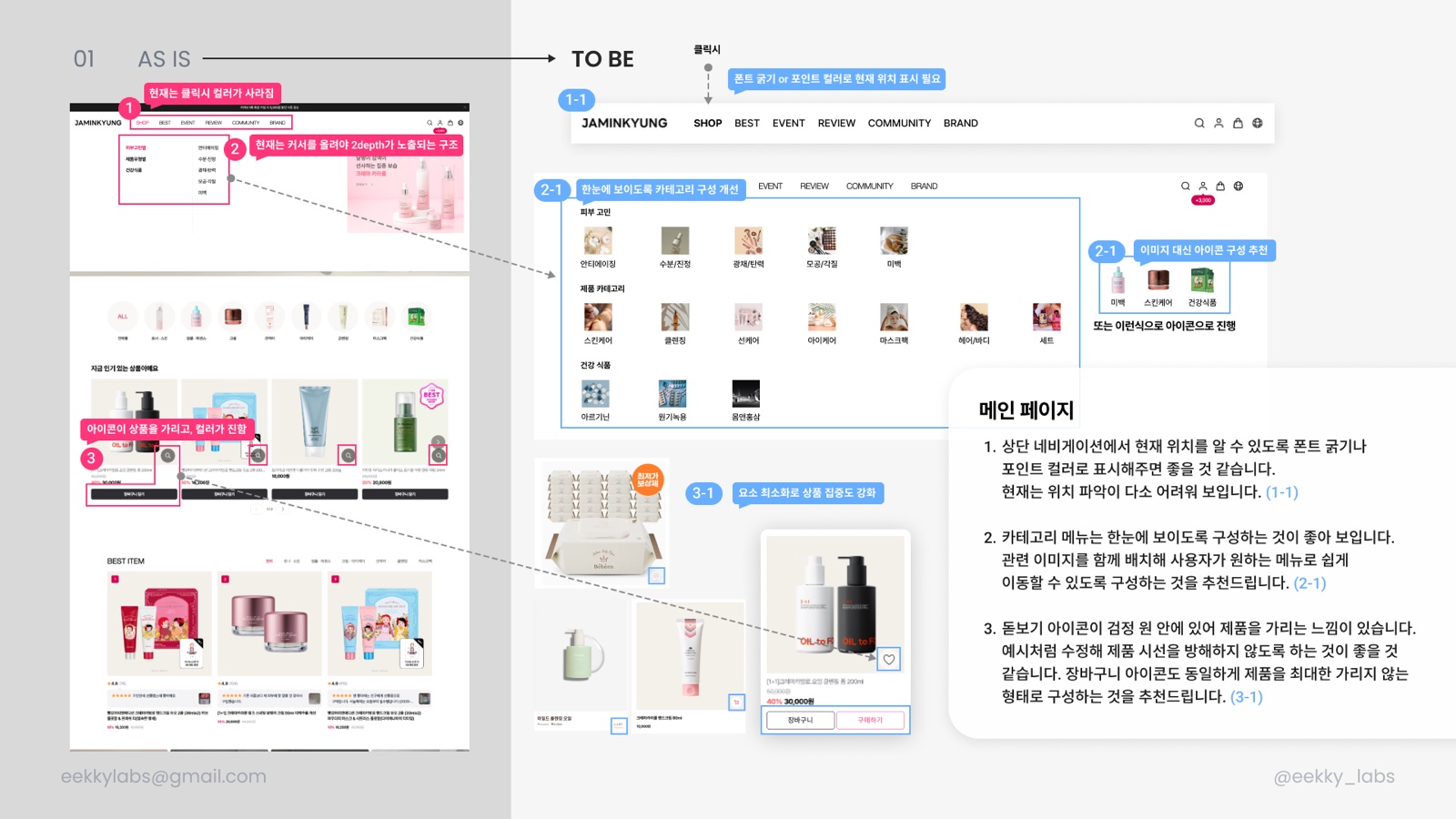
- 01Mark the current nav item with weight or an accent colour; today the colour disappears on click.
- 02Expose the hover-only second level as a visible grid of skin concerns, products and supplements.
- 03Shrink and lighten the magnifier and cart icons so they stop covering the product.
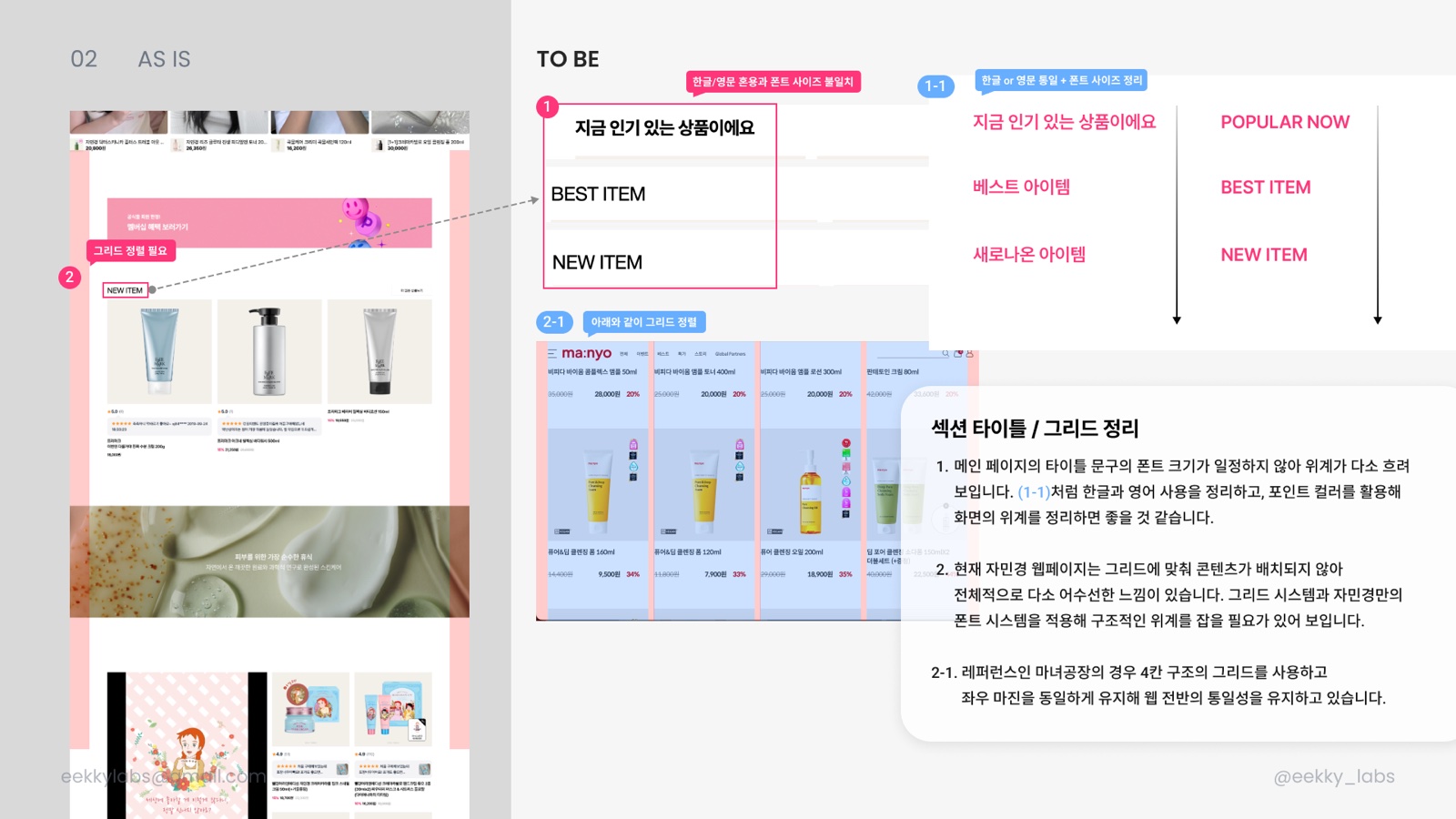
- 04Settle the Korean/English mix and size drift in section titles, and use the accent colour for hierarchy.
- 05Lock a four-column grid with fixed side margins, as Manyo does, for site-wide consistency.
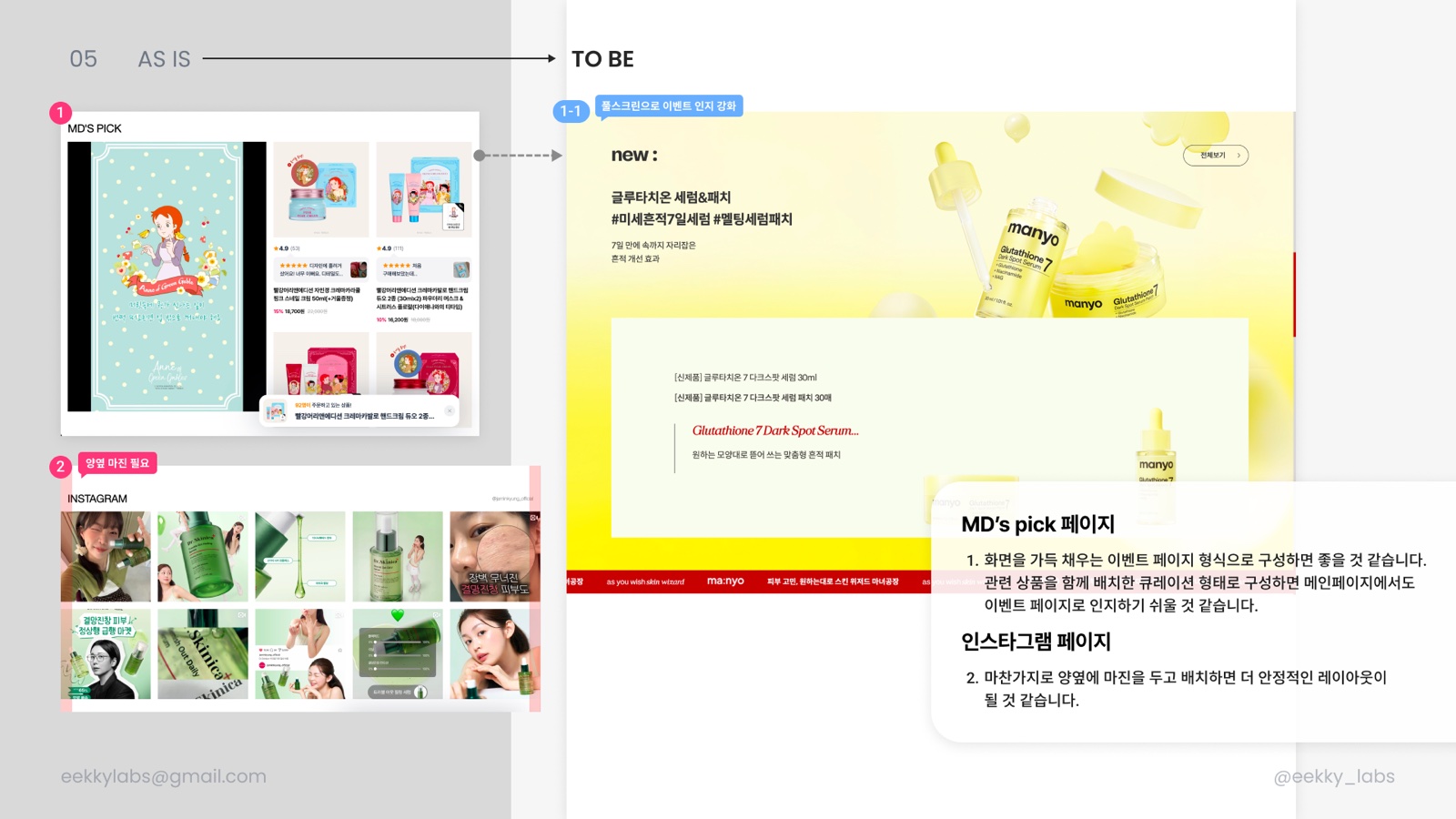
- 06Turn MD’s pick into a full-bleed event layout and give the Instagram block side margins.
06
Search
Turned an empty search screen into a starting point for browsing.
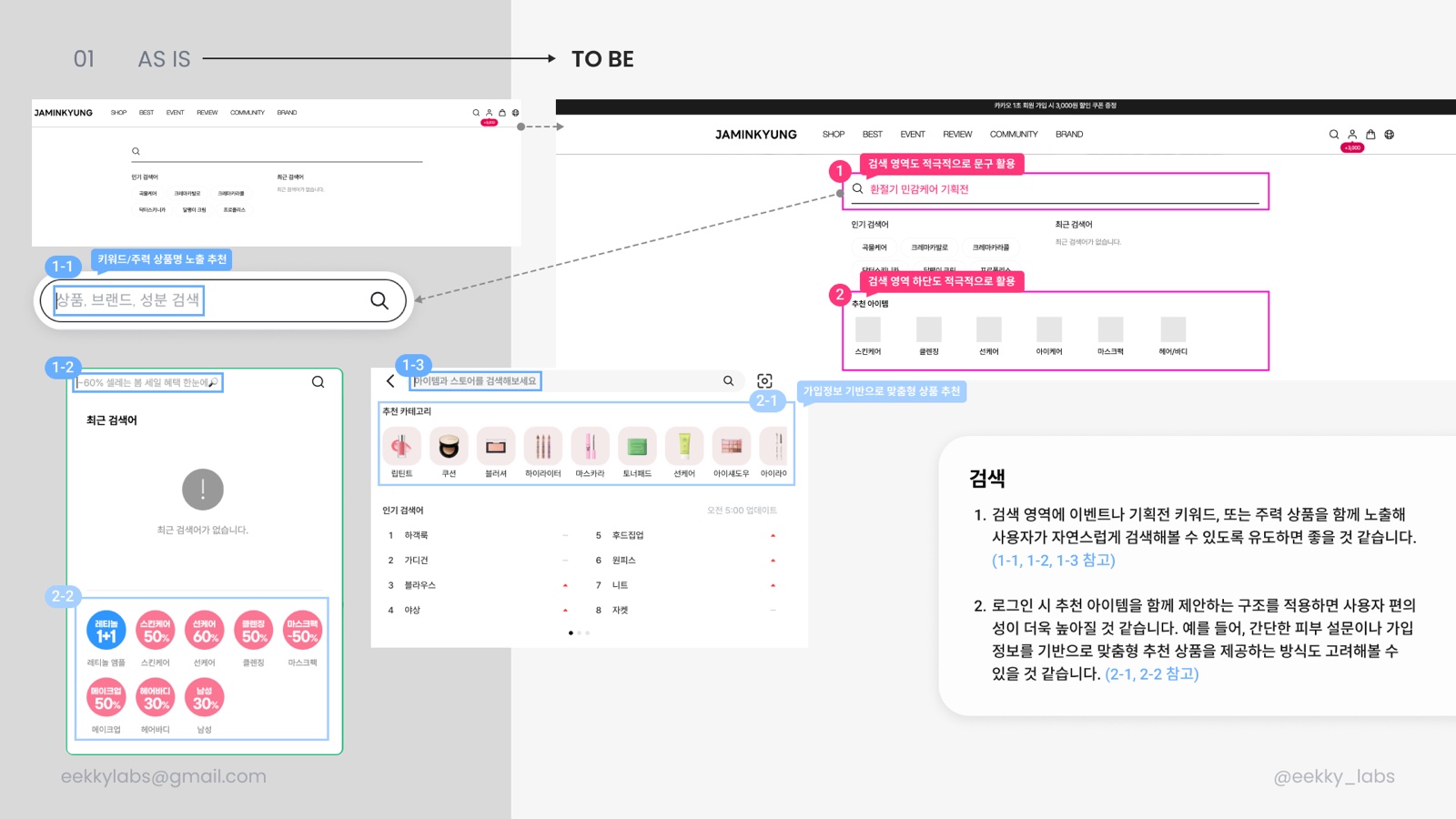
- 01Seed the search placeholder with event keywords or hero products so people search without thinking.
- 02Add recommended items under the field, personalised from profile data or a short skin quiz when signed in.
07
Cart
Stopped the empty cart from being a dead end and made the “also viewed” rail legible.
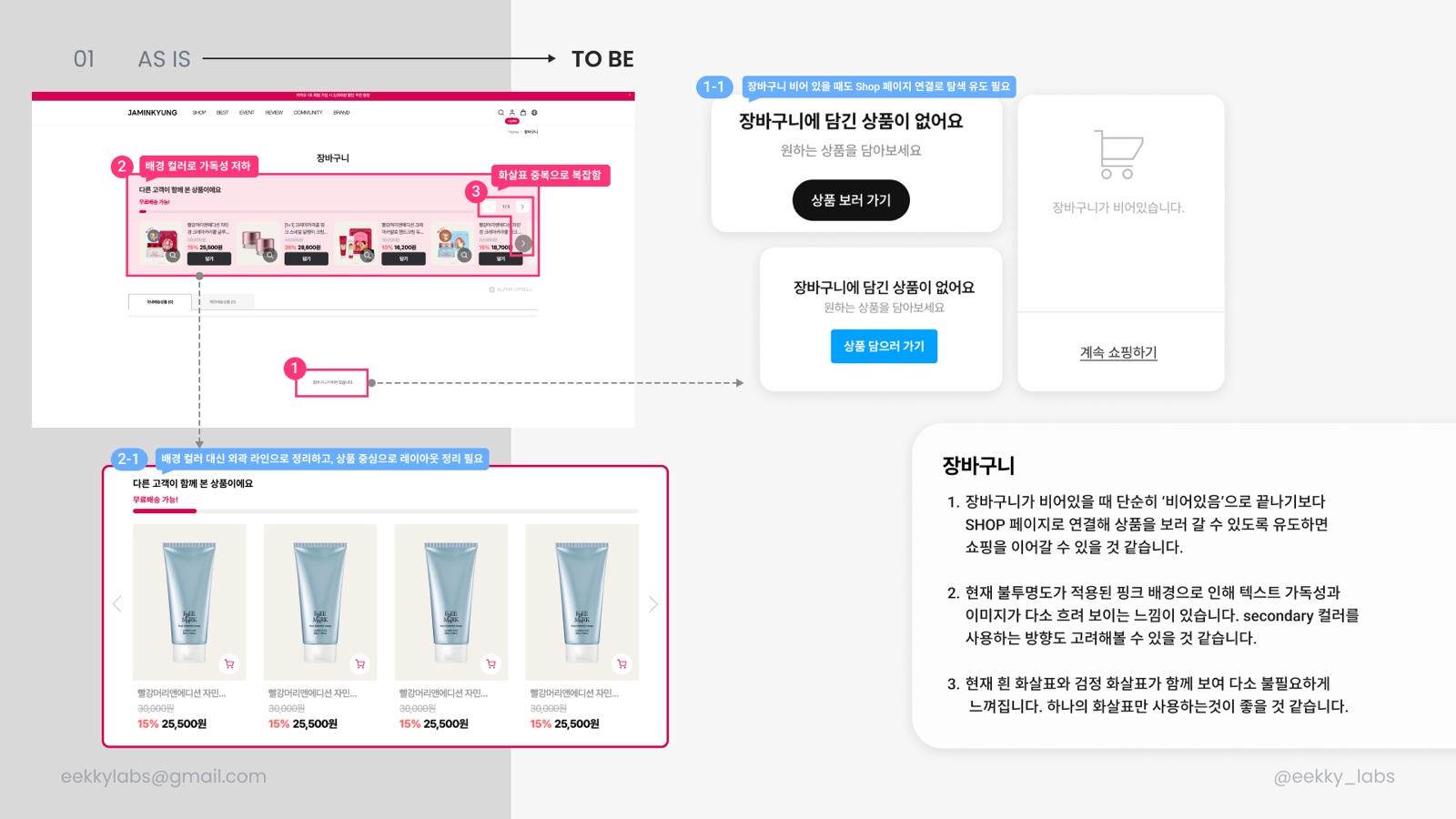
- 01When empty, offer a button into the shop instead of a bare “your cart is empty”.
- 02Swap the translucent pink background, which blurs text and images, for an outline and a secondary colour.
- 03Keep a single arrow on the carousel instead of the overlapping white and black pair.
08
Product Detail · Product Card
Cleared what snagged the purchase flow: the buy button, image switching, information order and gift badges.
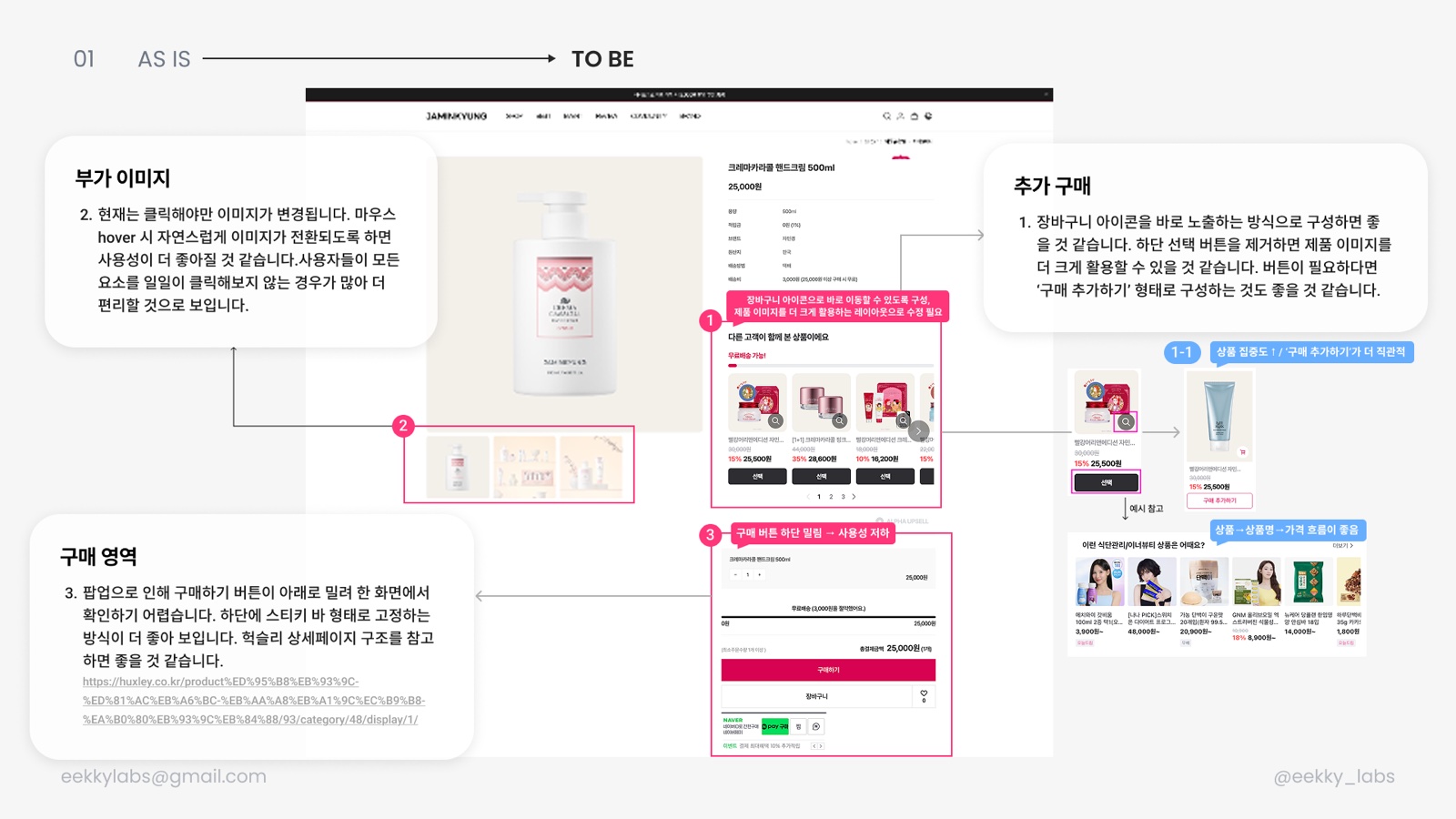
- 01Pin the buy button in a sticky bottom bar instead of letting a popup push it off-screen, as Huxley does.
- 02Switch gallery images on hover rather than click so shoppers needn’t tap every thumbnail.
- 03Drop the “select” button on also-viewed items; show the cart icon directly and enlarge the image.
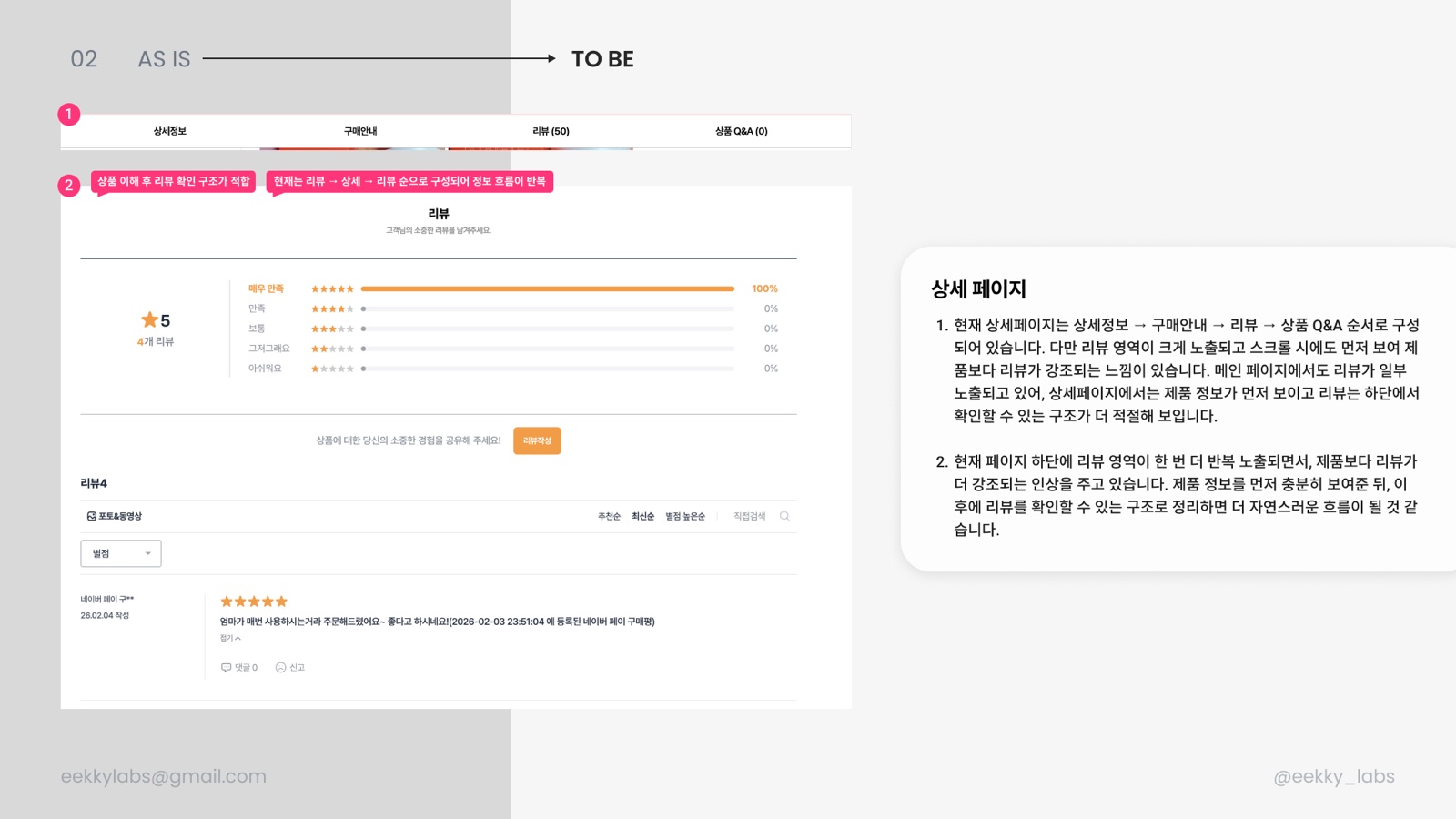
- 04Reorder detail tabs so reviews stop repeating: details → purchase info → reviews → Q&A.
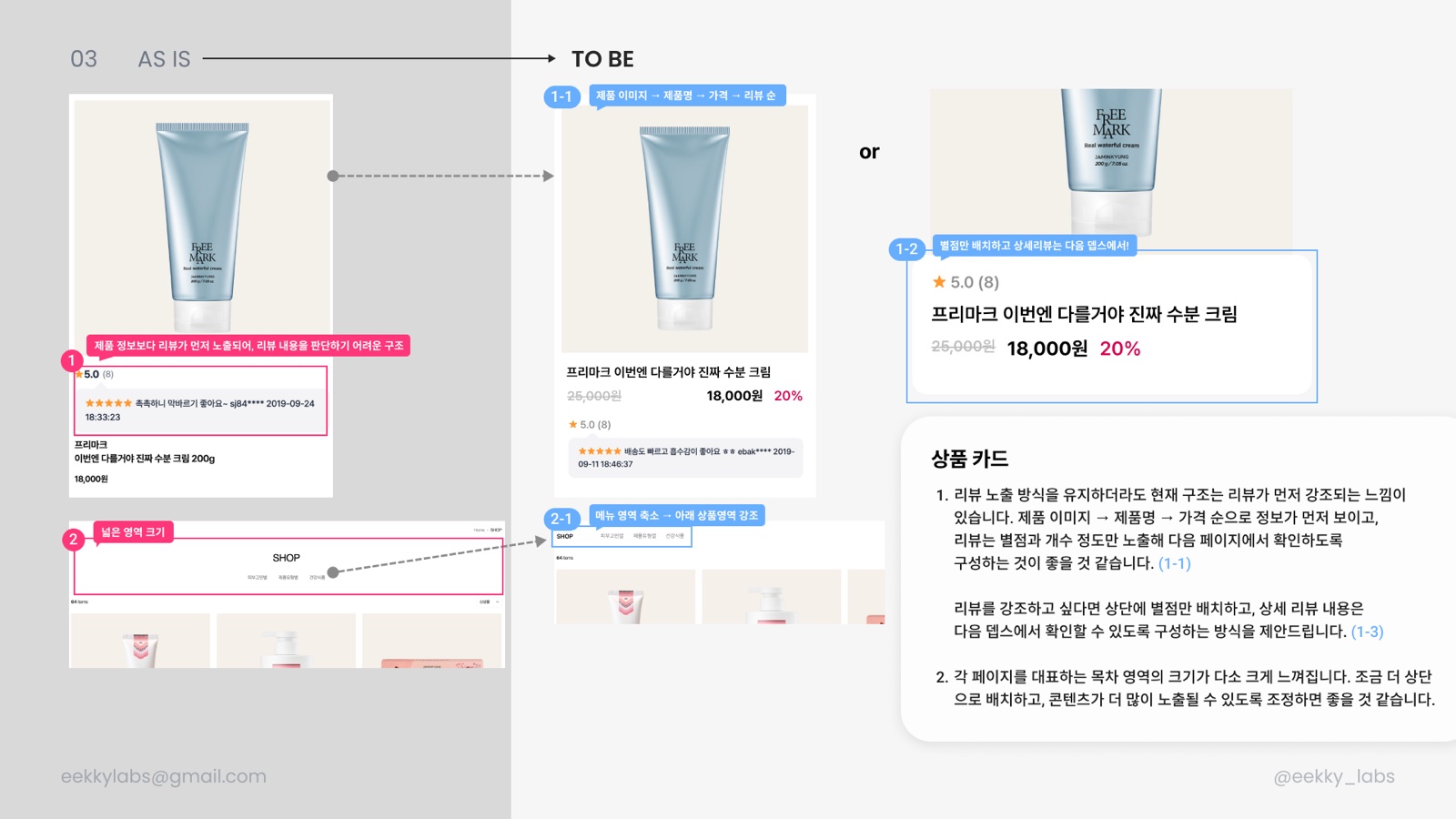
- 05Product cards read image → name → price → reviews, with reviews reduced to rating and count.
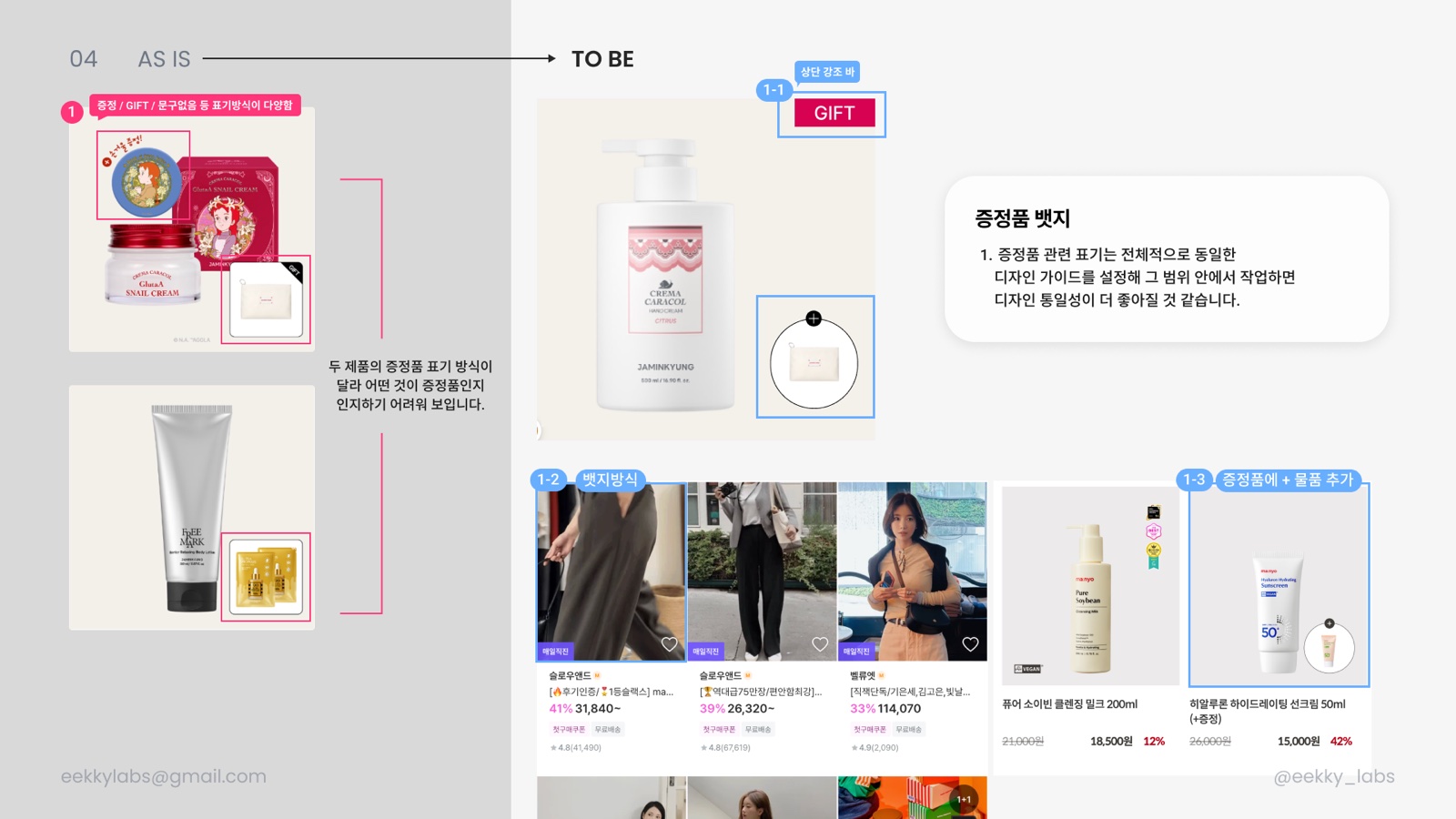
- 06Replace the mixed gift labelling (“증정”, “GIFT”, none) with one badge rule.
09
Reviews
Trimmed a review page with seven sort options and text-heavy cards.
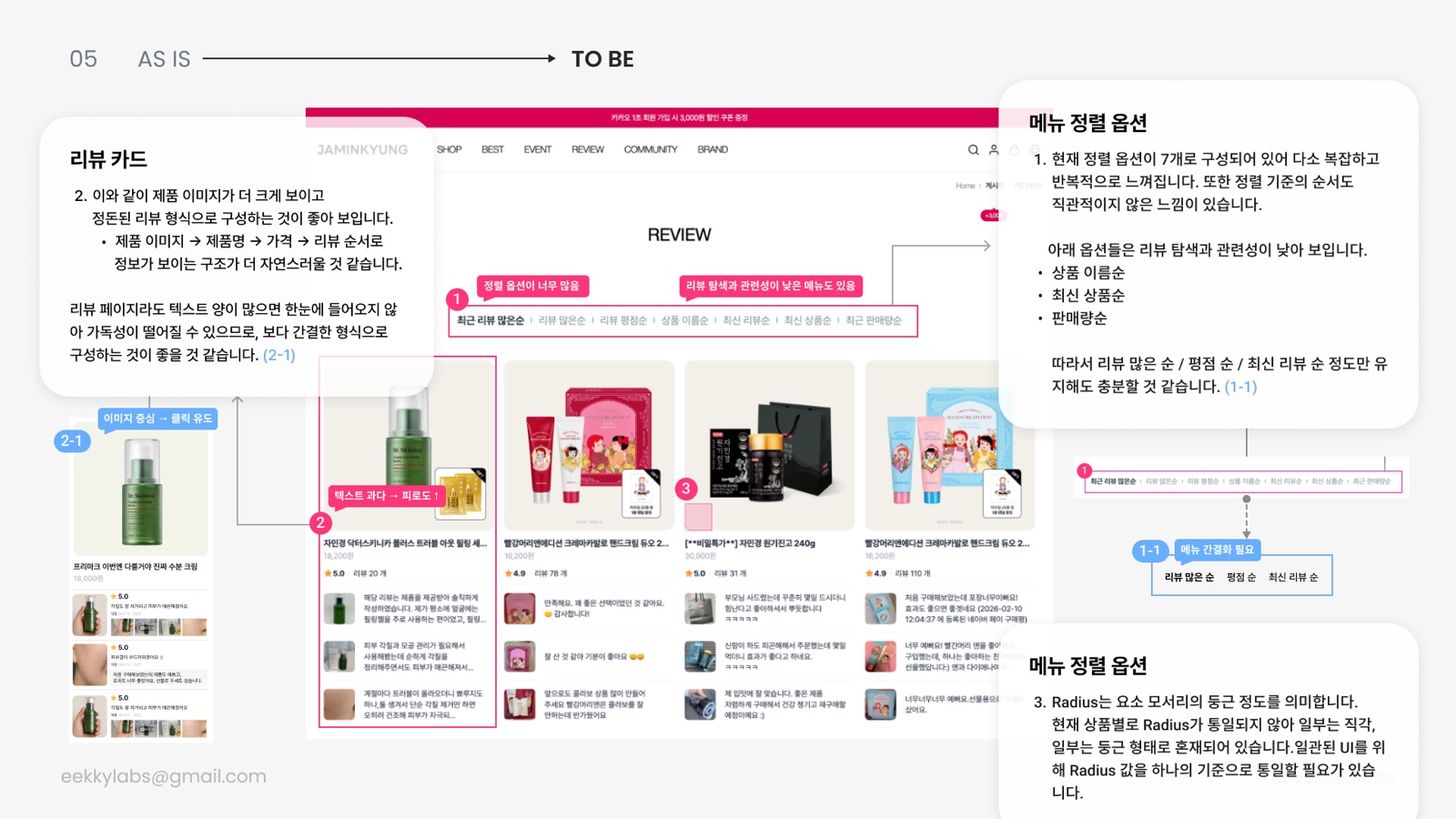
- 01Keep only most-reviewed, rating and newest; drop name, newest product and sales order, which don’t help find reviews.
- 02Enlarge the product image and order the card name → price → review so it scans at a glance.
- 03Unify corner radius, currently a mix of square and rounded per product.
10
Shared Rules · Colour System
Pulled hover, footer and background colour, which differed page to page, into site-wide rules.
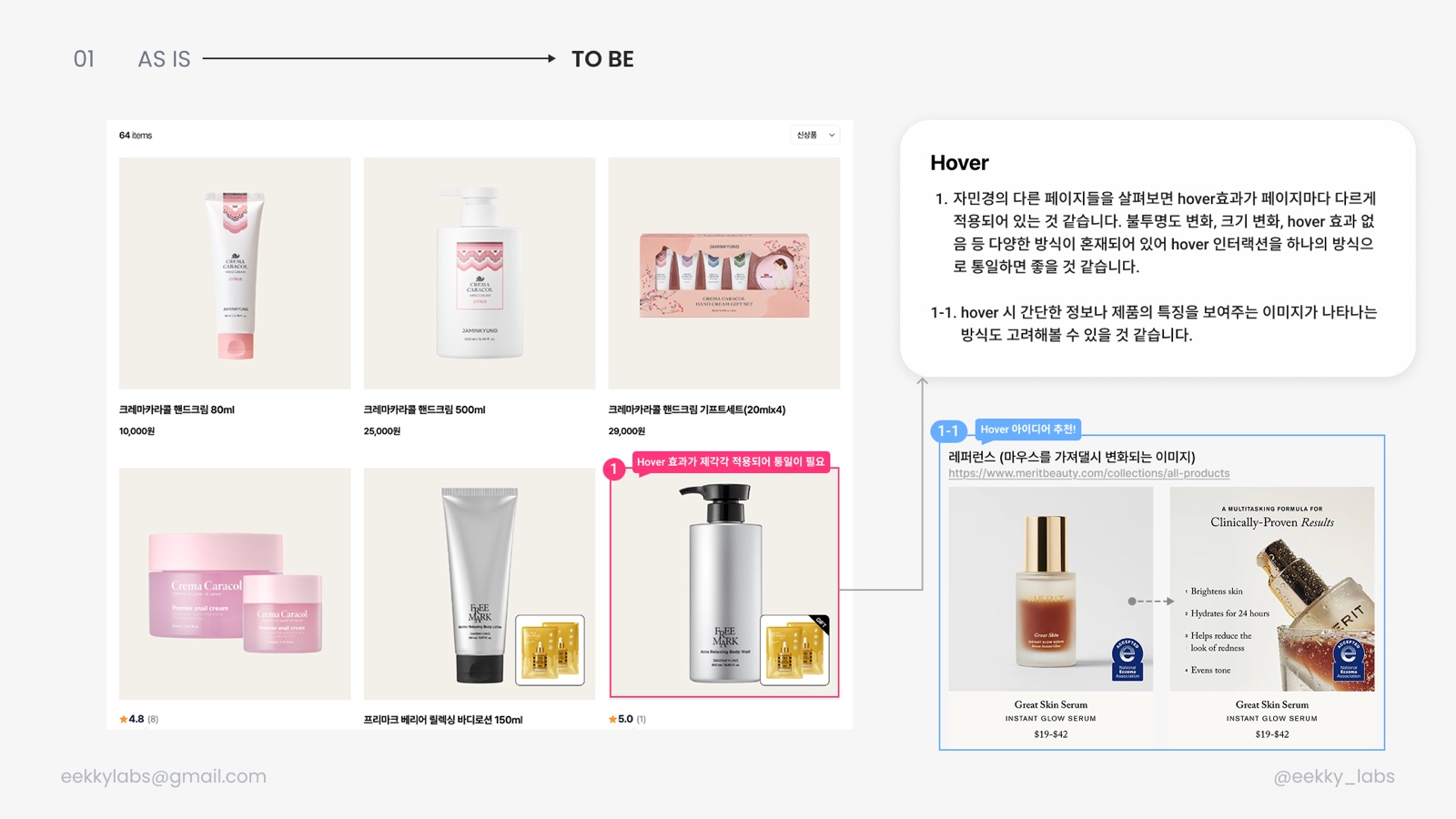
- 01Unify hover (opacity, scale or none today) and propose a feature image on hover, as Merit Beauty does.
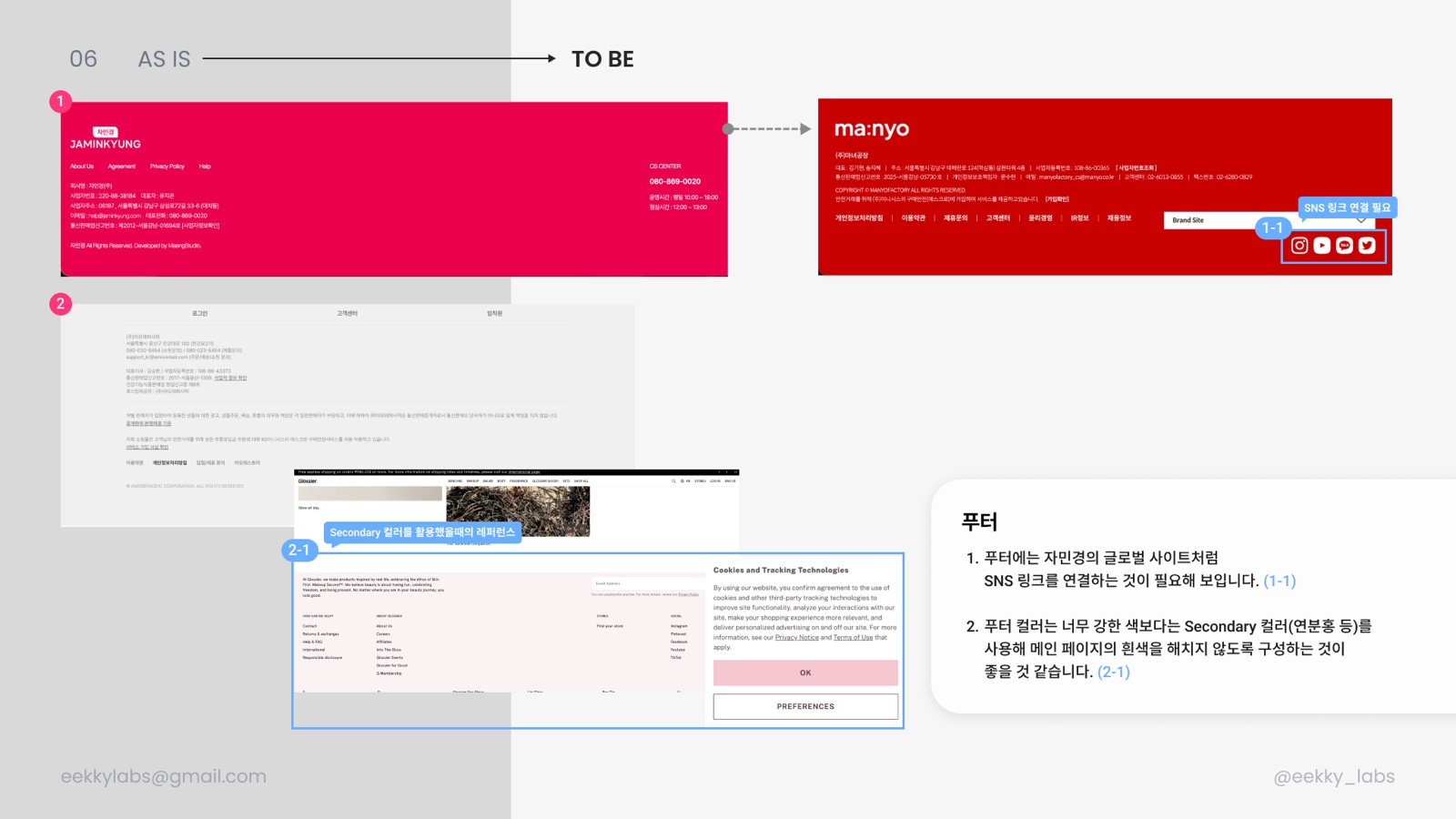
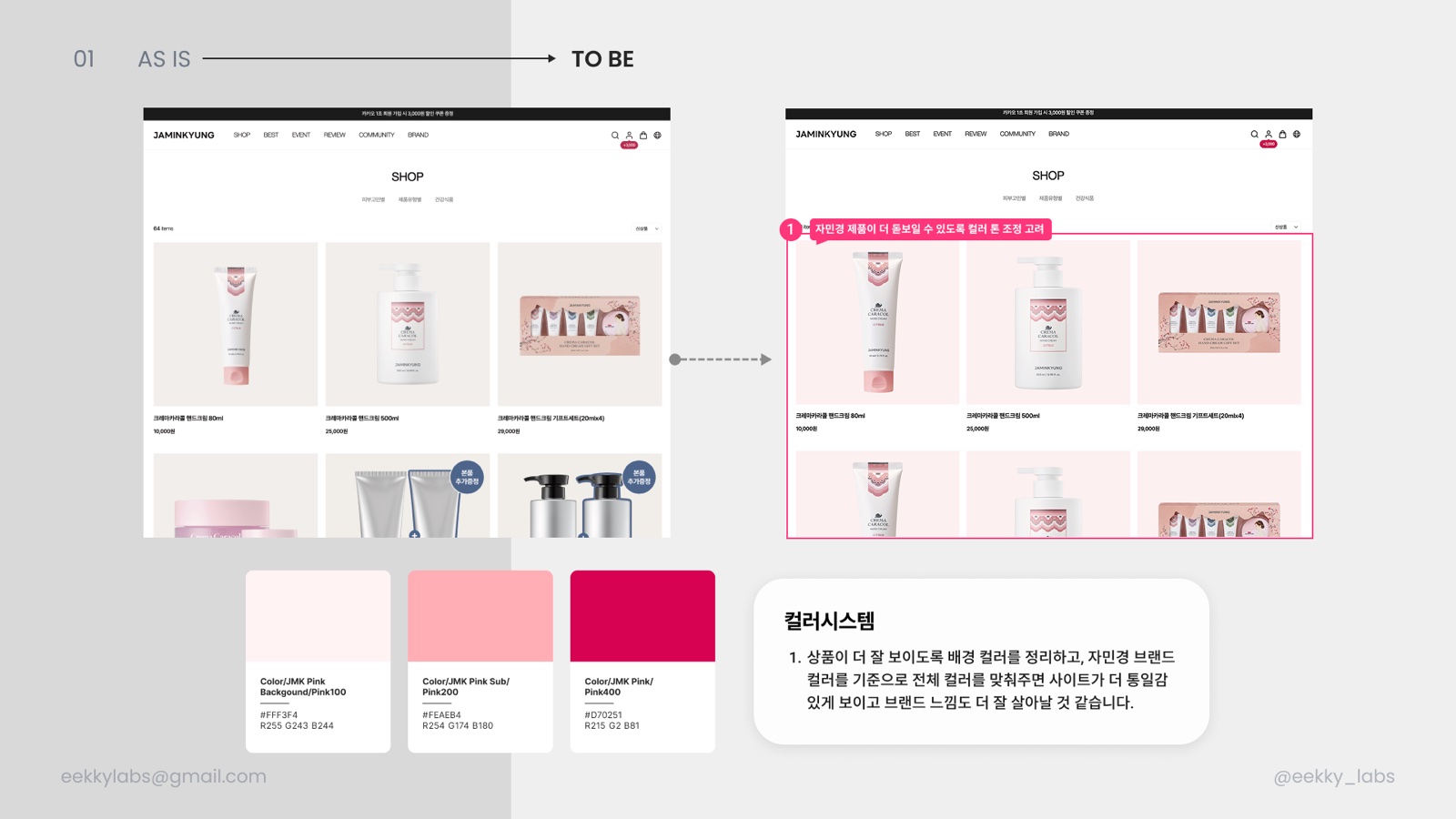
- 02Link social accounts in the footer and use a soft secondary colour instead of the hard red so the white page holds.
- 03Define three steps, Pink100 #FFF3F4, Pink200 #FEAEB4, Pink400 #D70251, for background, secondary and brand, starting with product backgrounds.
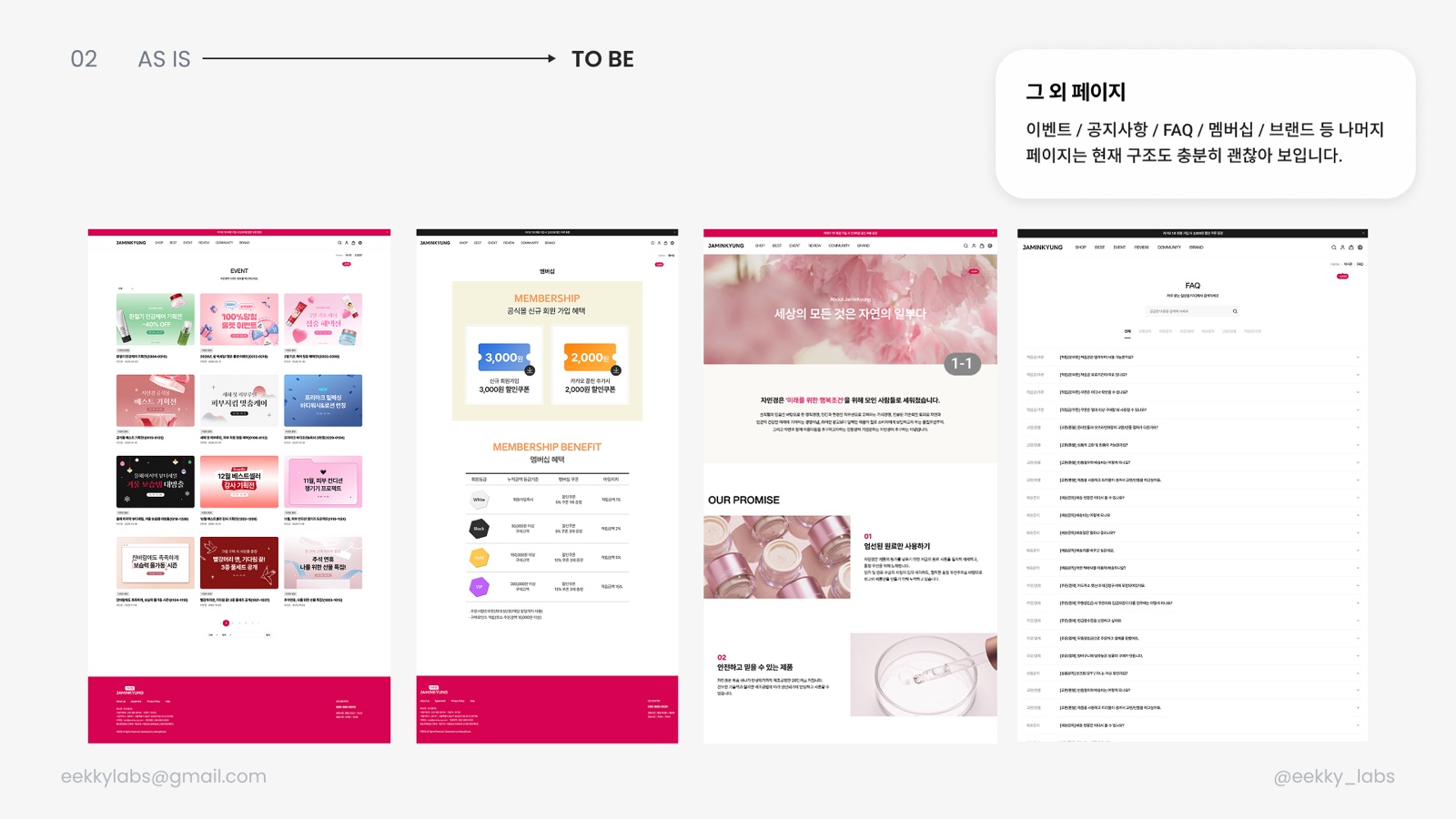
- 04Event, notice, FAQ, membership and brand pages work as they are and were left alone.
11
What Shipped
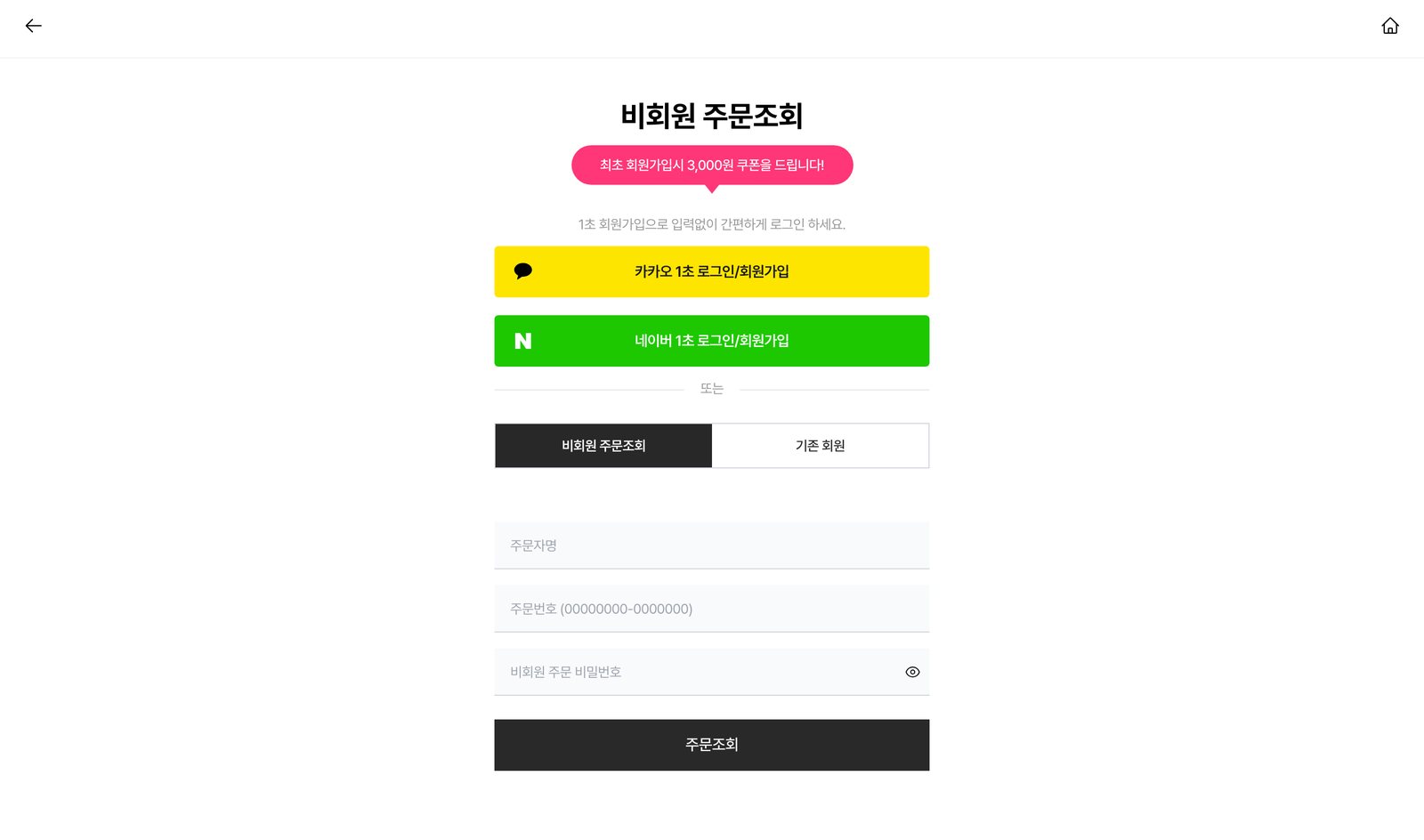
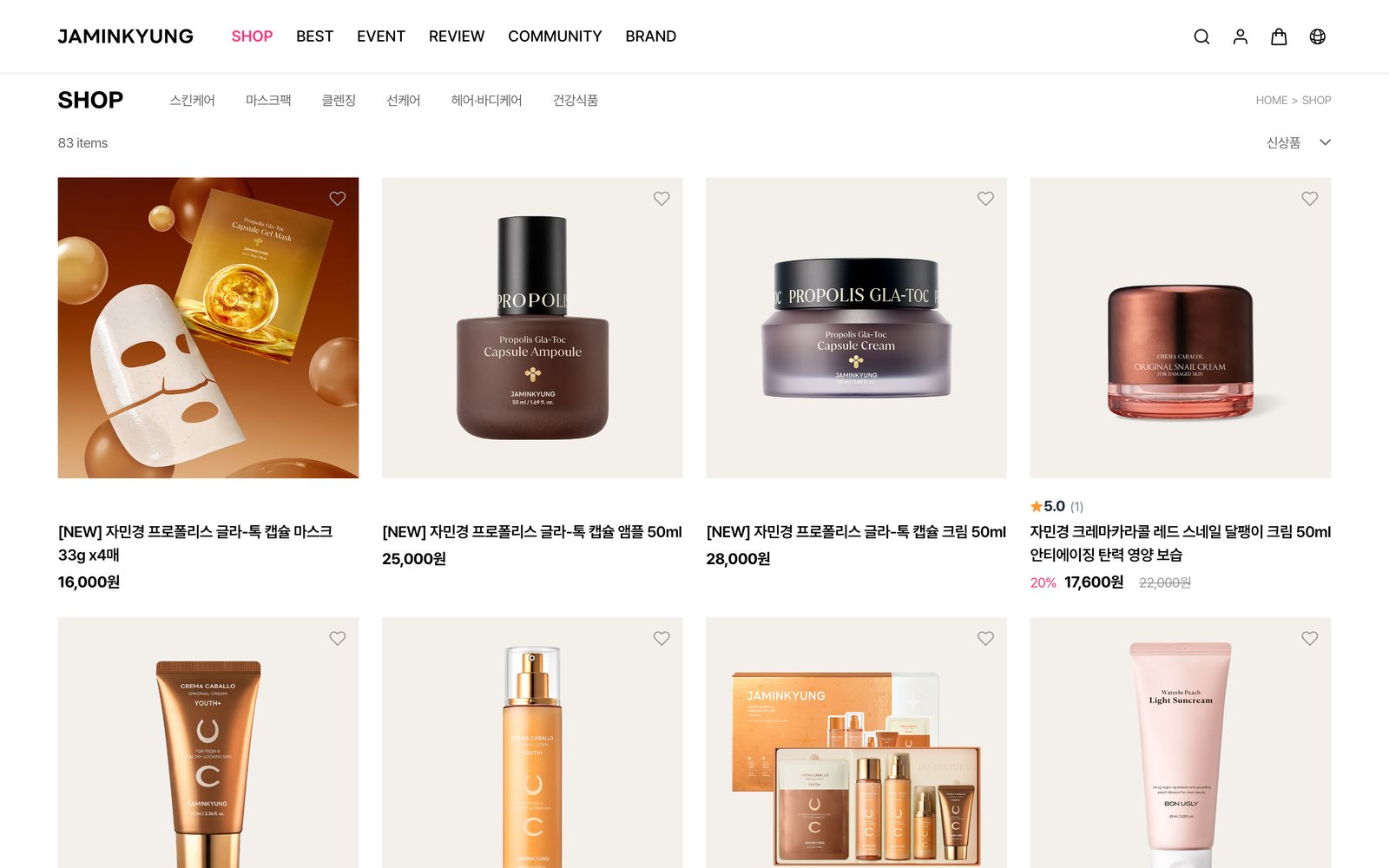
Re-captured jaminkyung.kr in October 2026, after the proposal was delivered. The login screen now follows the proposed to-be almost exactly, and items from the main page, product list, cart, product detail and footer proposals have landed one by one.
Live on the site
- Login: ₩3,000 coupon copy, Kakao/Naver on top, guest order lookup first
- Current nav item marked in the accent colour
- Section titles unified as NOW POPULAR · BEST ITEM · NEW ITEM on a four-column grid
- Magnifier icons that covered products removed from cards
- Empty cart now offers a “go add products” button
- Product detail tabs reordered: details → purchase info → reviews → Q&A
- Footer moved to the soft pink secondary colour with an Instagram link
Not yet
- Review page sort options and card layout
- Search placeholder keywords and recommended items
- Cart rail’s pink background and carousel arrows
- Shared rules for hover, gift badges and corner radius
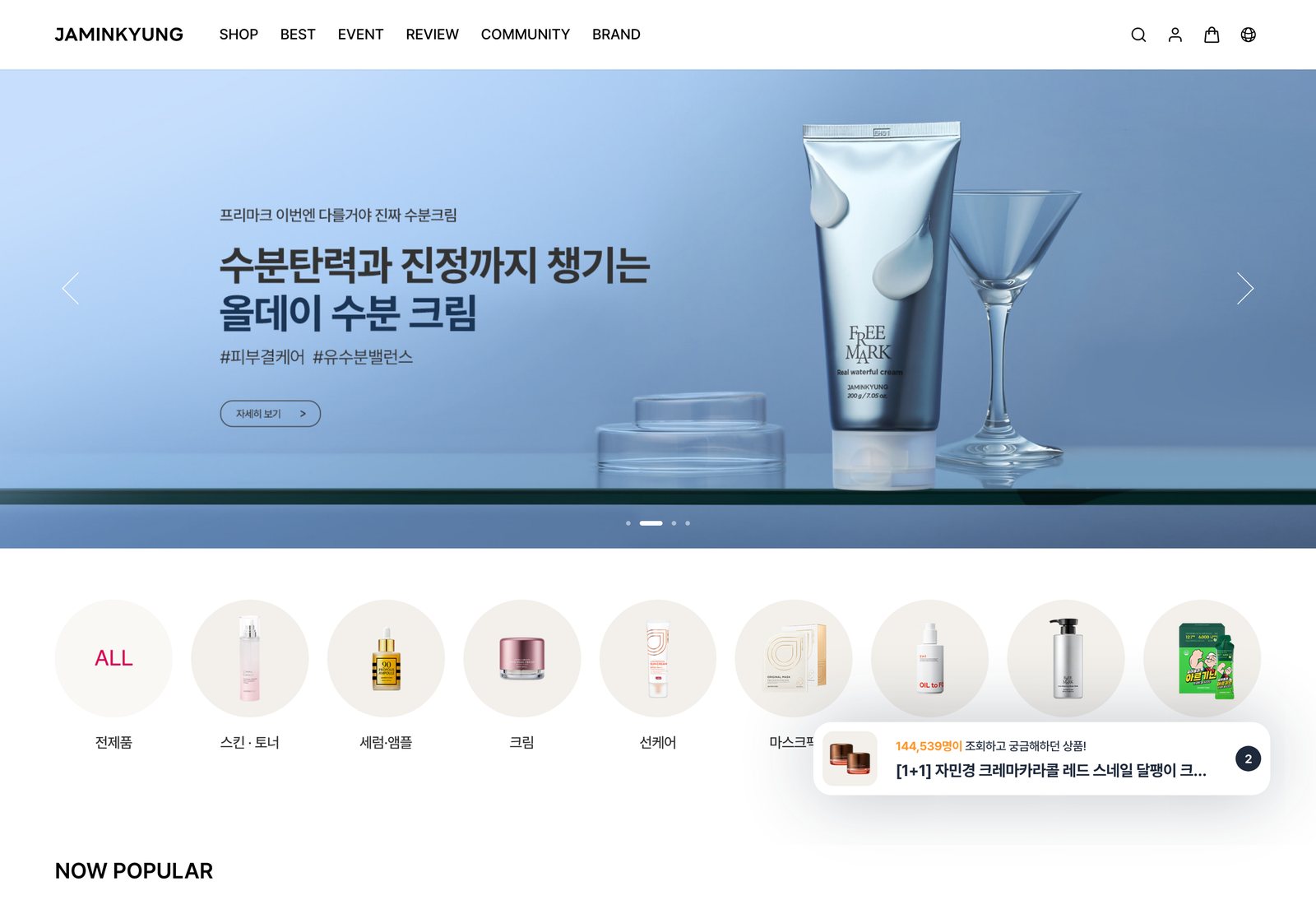
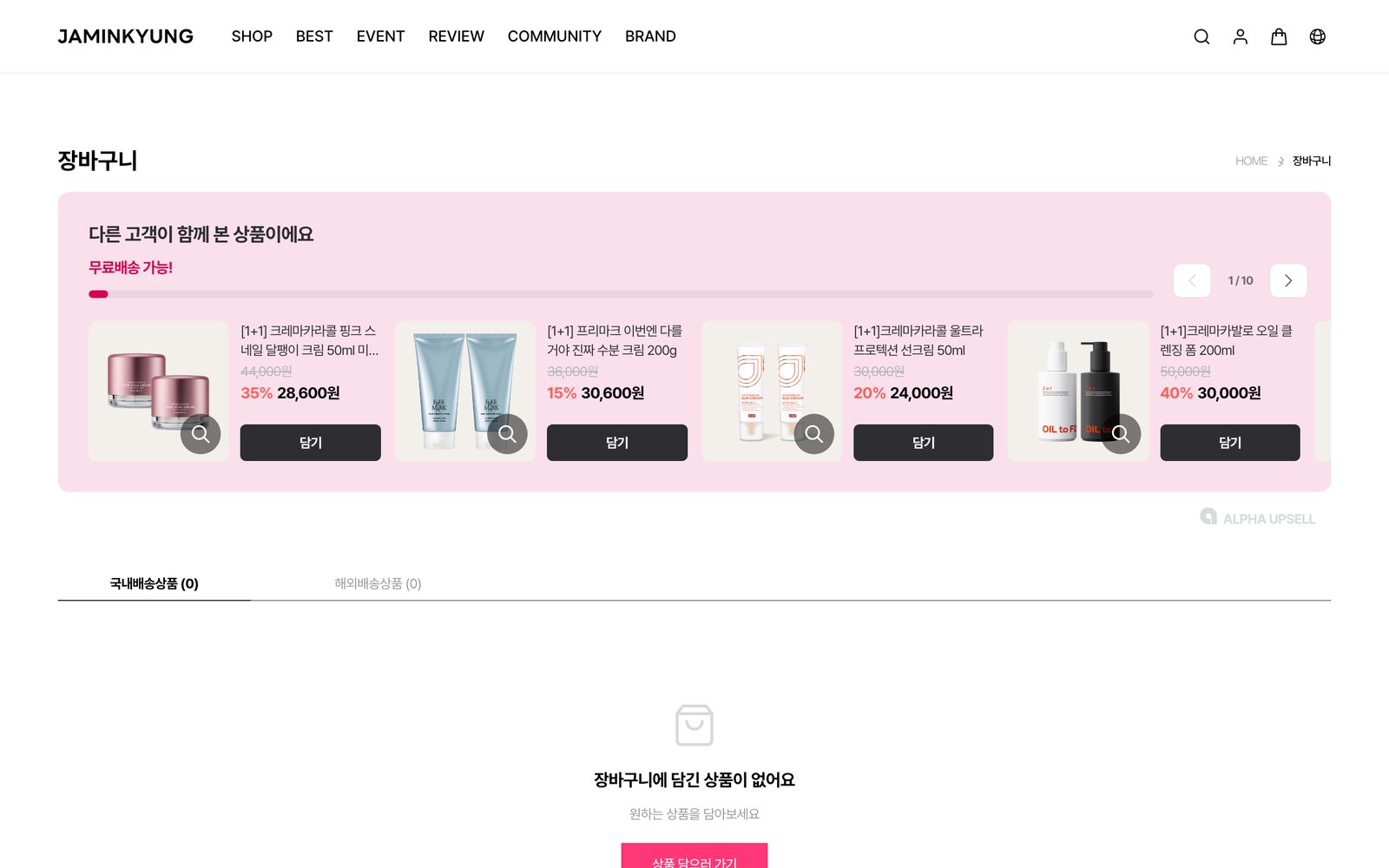
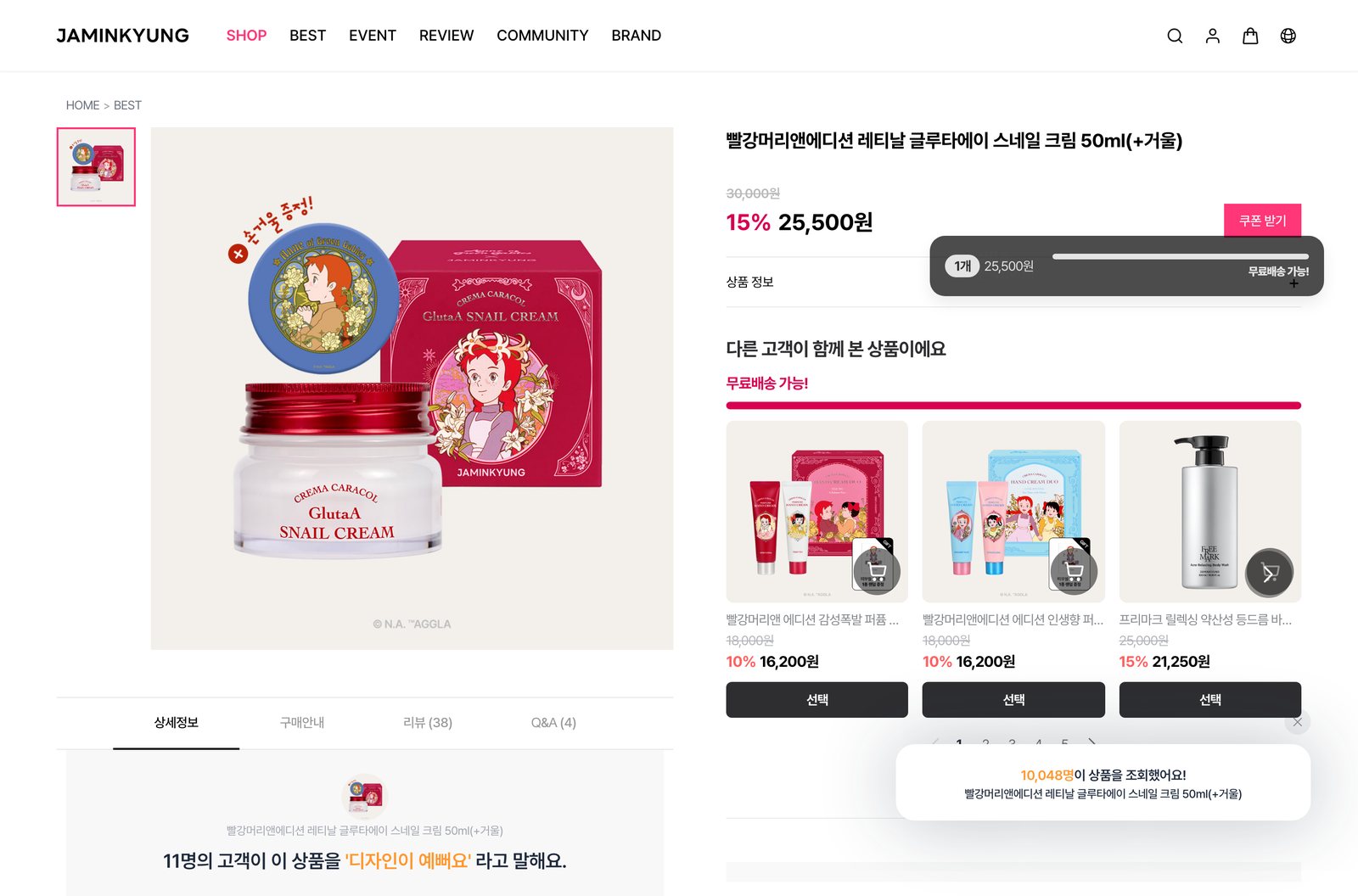
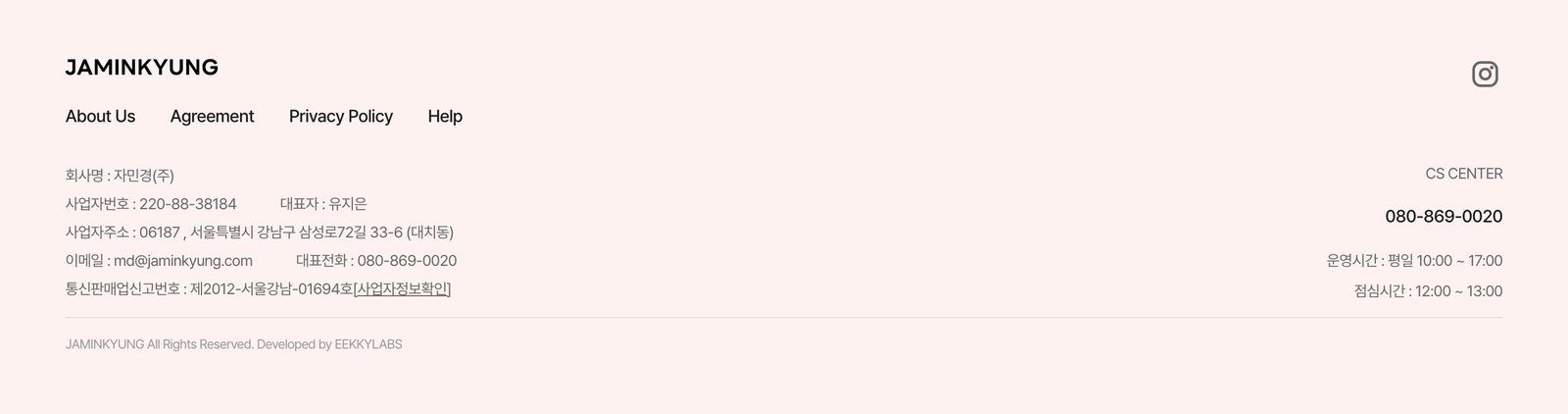
Captured from jaminkyung.kr in October 2026.
12
Outcome
The proposal, organised around usability and information hierarchy, was handed to the client. The aim was a store where products show better and the path to purchase gets shorter through small moves, an icon here, a button position there, rather than a full redesign.
8 areas
From login to shared rules
30+ items
As-is → to-be comparisons
7 shipped
Live on the site as of Oct 2026